Cockpit add-on
Manage cron jobs and systemd timers in Cockpit
Everything scheduled on a server, on one Cockpit page: safe crontab edits, the result of every run, run now, and conversion to systemd timers.
- Stable
- Version 2.7.4
- Apache-2.0
- Cockpit
- Debian & Ubuntu
- Fedora & RHEL
- openSUSE
The problem
Cron works quietly. Too quietly.
On servers without a mail program, cron's output is lost: a job that fails, fails without a word.
A job runs in the shell but not in cron, because cron gives it a different environment.
Files in /etc/cron.d are skipped silently when their name, owner or permissions do not fit.
Features
What it does
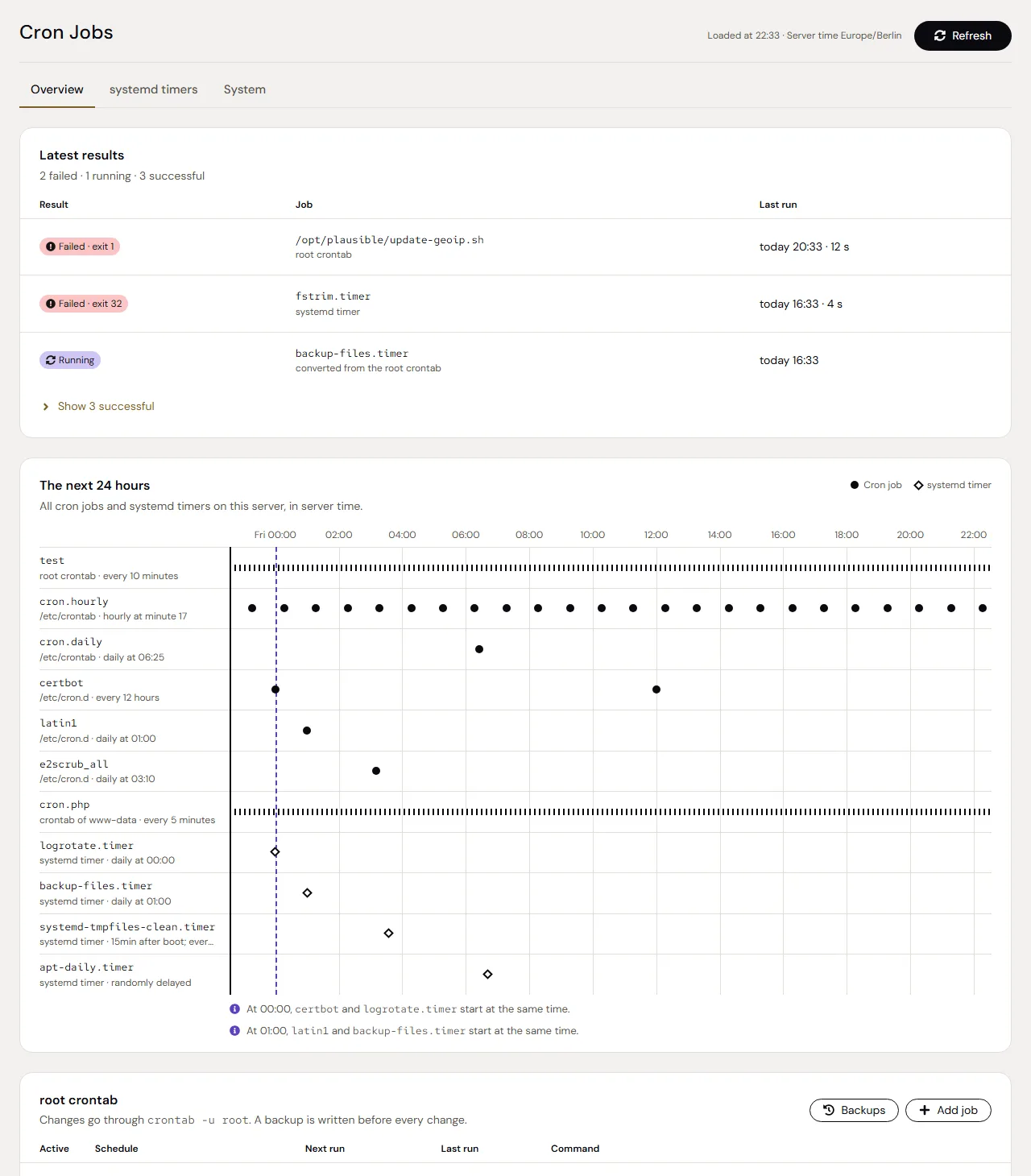
Everything in one place
The root crontab, /etc/crontab, /etc/cron.d, other users' crontabs, the periodic scripts and systemd timers. Schedules in words, and files cron would skip marked with the reason.
The next 24 hours
A timeline of all cron jobs and timers. Jobs that start in the same minute are pointed out.
Safe changes
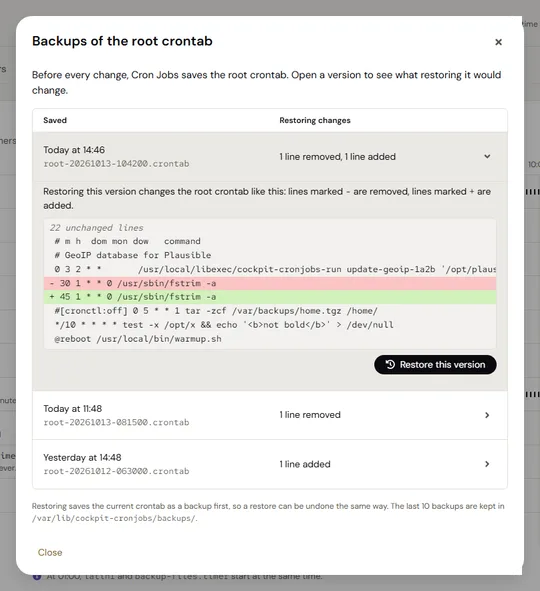
Lines you do not touch stay byte for byte. Each change is one locked step, only if the crontab is still the one you see, after a backup, and read back afterwards.
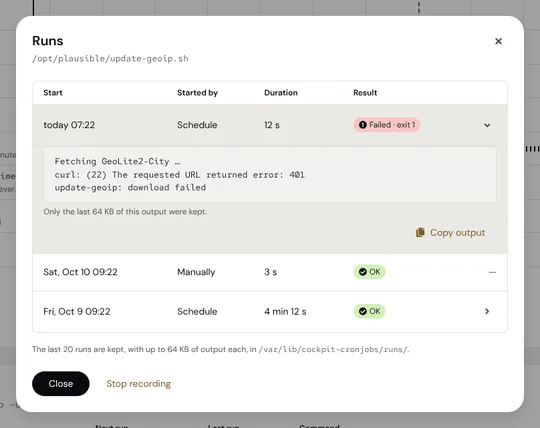
The result of every run
Turn on recording and a job keeps exit code, duration and output of its last 20 runs, also on servers without mail. Timers show their runs from the journal.
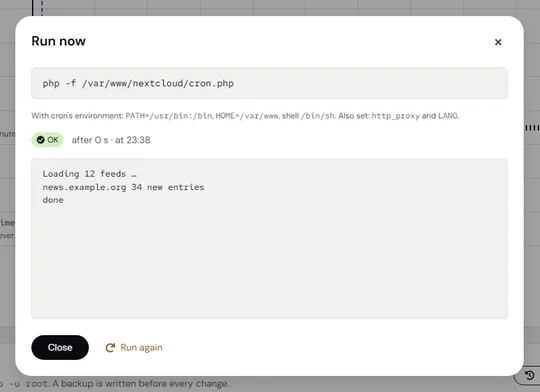
Run now
Starts a job right away with the environment cron gives it on this server, shows the output live and can stop it.
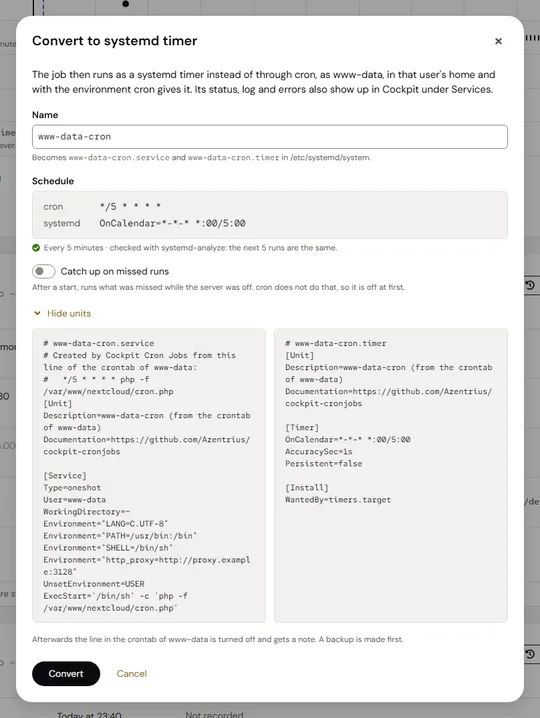
To a systemd timer and back
Creates a service and a timer with the same schedule, checked against systemd-analyze. Back to cron undoes it in one step.
Screenshots
Security
- Commands go to programs as arguments, never as shell code.
- A crontab is replaced only if it is still exactly the version on screen; a backup of the previous version comes first.
- A conversion stops if systemd would run the job at other times than cron.
- Changes need administrative access in Cockpit. Without it, the page shows the system crontabs and timers and nothing of other users.
Install
Installation
Requirements
- Cockpit (tested with 360 and 362)
- cron on Debian and Ubuntu, or cronie on Fedora, RHEL and its rebuilds, Arch and openSUSE
- systemd, optional: for timers, their timeline entries and the conversion
From the Azentrius package repository
For Debian, Ubuntu, Fedora and RHEL. Set up the repository once:
# Debian and Ubuntu
curl -fsSLO https://packages.azentrius.com/azentrius-repository.deb
sudo apt install ./azentrius-repository.deb
sudo apt update

# Fedora and RHEL
sudo rpm --import https://packages.azentrius.com/azentrius.asc
sudo dnf install https://packages.azentrius.com/azentrius-repository.rpm
Then install Cron Jobs in Cockpit under Applications, or on the console:
sudo apt install cockpit-cronjobs    # Debian, Ubuntu
sudo dnf install cockpit-cronjobs    # Fedora, RHEL
The system’s updates keep it current.
From the files of a release
On openSUSE this is the only way. Every release has the .deb, the .rpm, SHA256SUMS and a signed build provenance. Check both before you install:
sha256sum --ignore-missing -c SHA256SUMS
gh attestation verify <file> --repo Azentrius/cockpit-cronjobs
The README has the details, including openSUSE.
Questions
Does it work without systemd?
Yes. systemd is needed only for timers, their entries in the timeline and the conversion.
Which distributions are supported?
Debian and Ubuntu with cron; Fedora, RHEL and its rebuilds, Arch and openSUSE with cronie.
Can I edit other users' crontabs?
Yes, with administrative access in Cockpit. They are changed through crontab -u and get backups of their own.
What happens to lines I don't touch?
They stay byte for byte. Before every change, a backup of the previous version is written.
How are runs recorded?
Through a small wrapper that keeps the last 20 runs with up to 64 KiB of output each. Mail from cron keeps working.
Can I go back from a systemd timer to cron?
Yes. Back to cron undoes the conversion in one step: the line is on again exactly as before, and the timer and its units are removed.
How it differs
Cockpit manages systemd timers under Services but has no page for cron. General web interfaces such as Crontab UI run as a service of their own, with their own port and login; Cron Jobs uses Cockpit's login and administrative access.
Further reading
Also by Azentrius
- Image Update Monitor – Configured, running and newest version of every Docker container, and updates with a dump first and a rollback.
- Azentrius Theme – A Home Assistant theme in ink, paper and gold, set in DM Sans, for light and dark mode.