Cockpit add-on
Docker updates with a plan and a way back
For every running Docker container: what the compose file says, which version actually runs and which is the newest. Updates from Cockpit with a database dump first, a rollback copy of the old image and a rollback at a click.
- Stable
- Version 0.19.1
- Apache-2.0
- Cockpit
- Docker Compose v2
- Linux with systemd
The problem
latest is not a version.
A tag like latest does not tell you which version runs.
An update without a dump puts the database at risk.
Whoever updates on purpose needs a plan before and a way back after.
Features
What it does
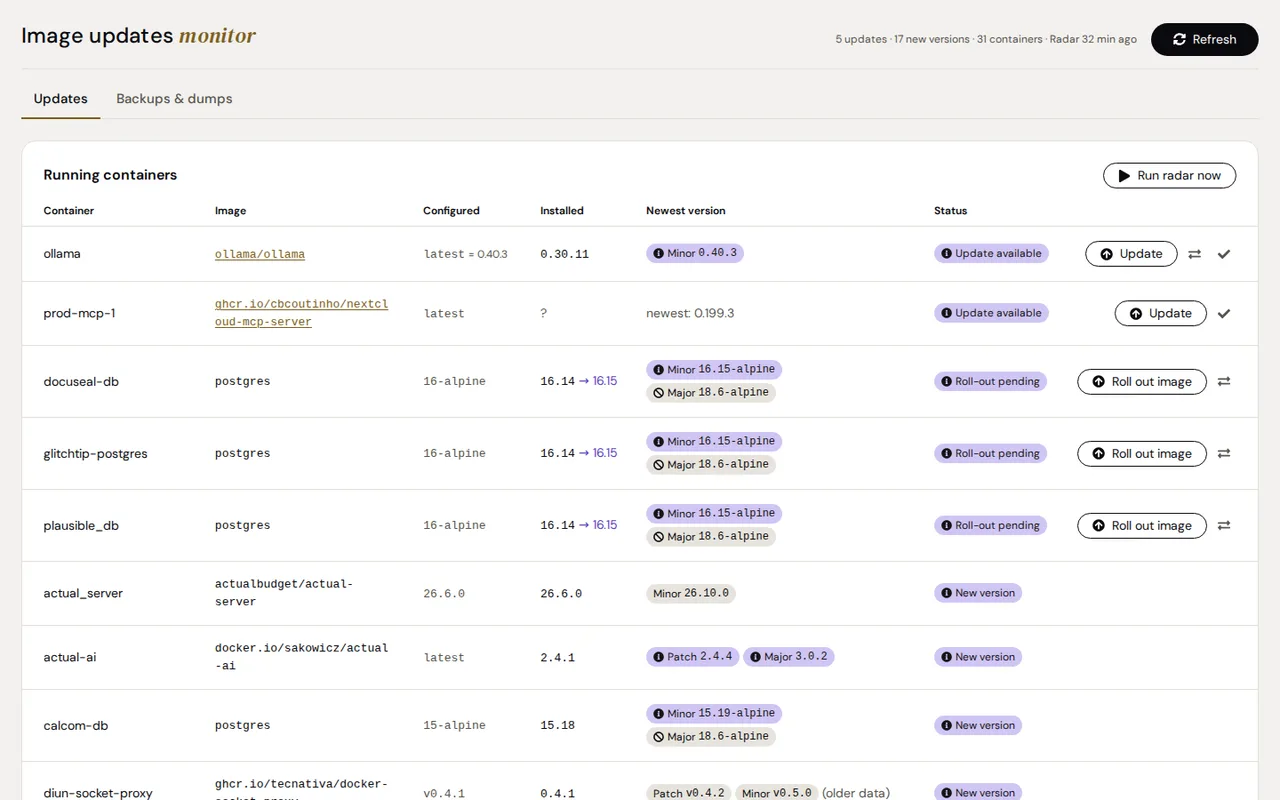
Three versions per container
Configured, installed and newest, with the newest split into patch, minor and major.
Two ways to find updates
Diun reports new images of the same tag; a version radar looks for newer tags every six hours, without pulling images.
An update with a plan
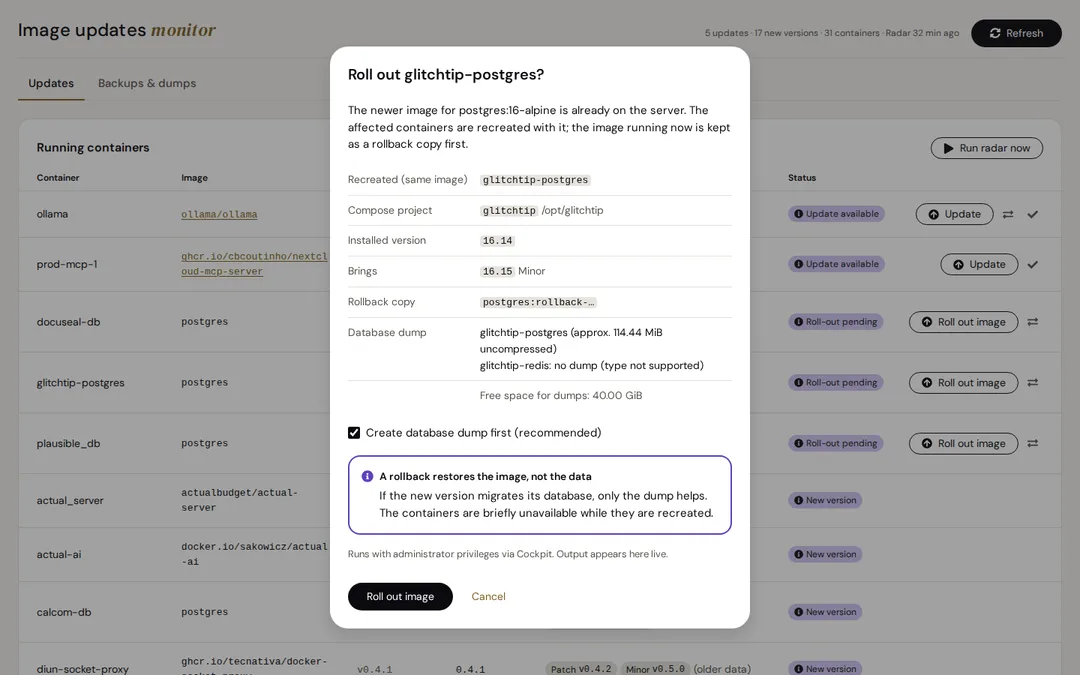
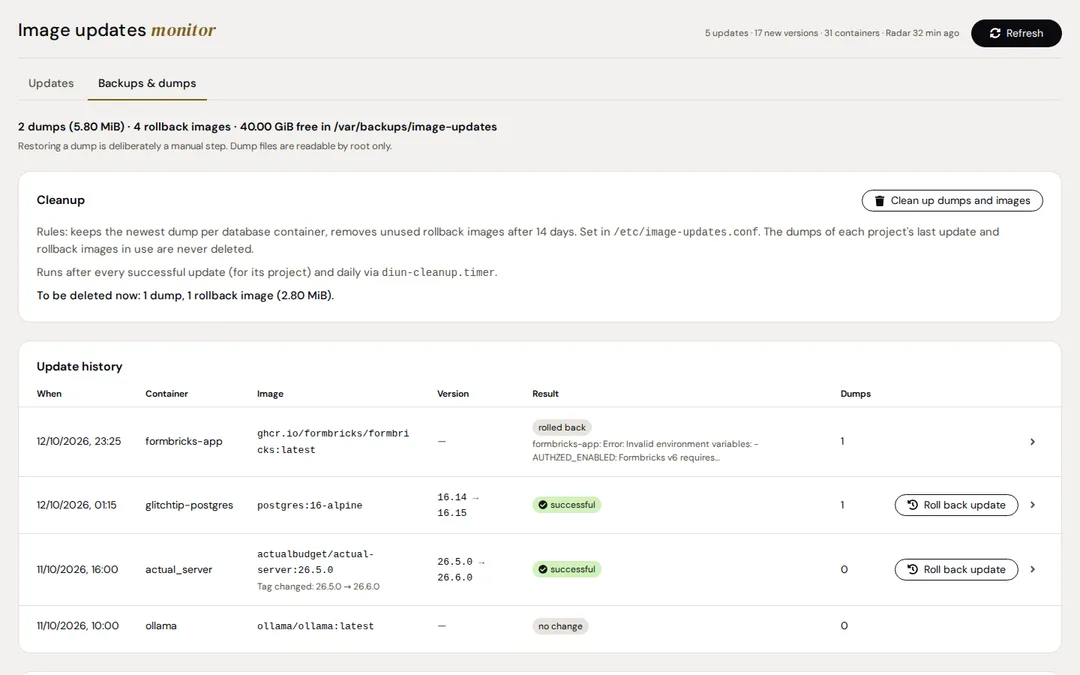
Before anything changes: which containers are recreated, which databases are involved, what depends on them and how much space is free.
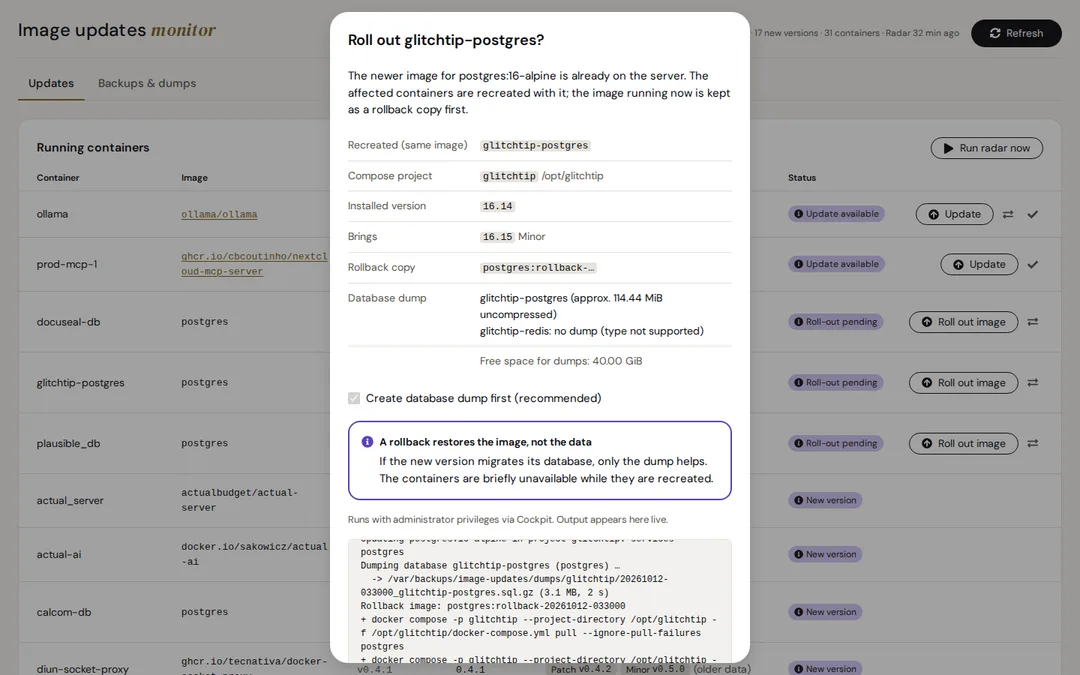
A dump before every update
Postgres, MariaDB and MySQL are dumped first. If the dump fails, the update stops before anything changes.
Rollback at a click
The old image is kept as a rollback copy; one click puts it back.
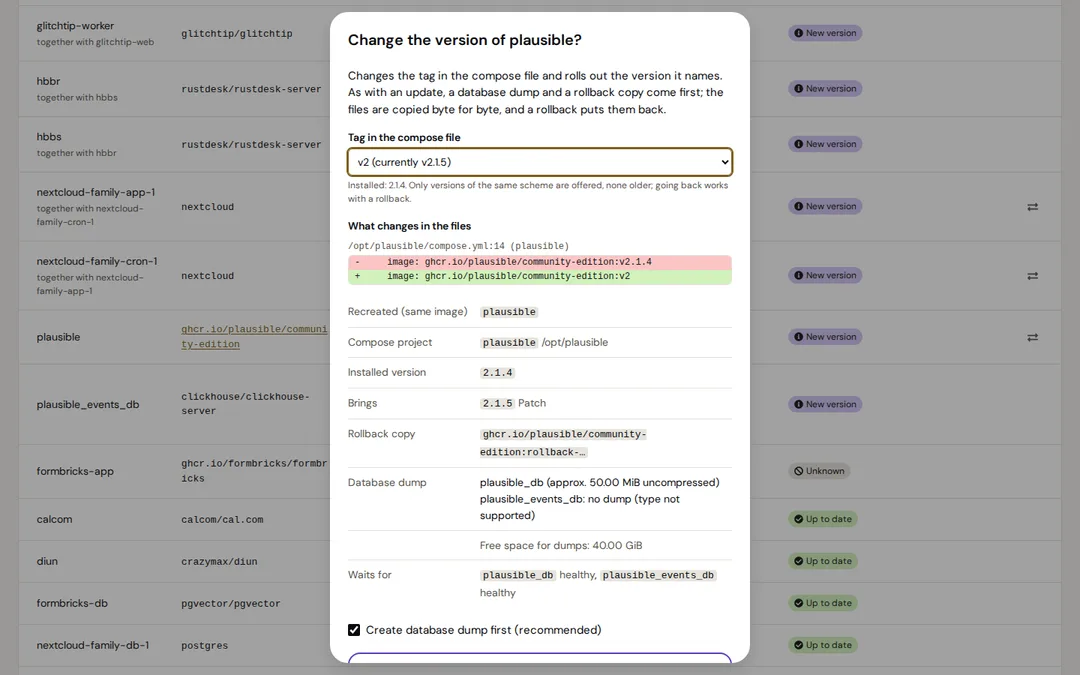
Change the version
Pick another tag from a list and see every line that changes in the compose or .env file. The files are copied byte for byte and restored on rollback.
How it knows which version runs
A tag like latest or 16-alpine does not say what really runs. The add-on asks four sources; the first that matches wins.
| Source | Example |
|---|---|
| The tag is already an exact version | v2.1.4 is 2.1.4 |
| The app's version variable in the image | PG_VERSION=16.14 behind 16-alpine |
| The image label org.opencontainers.image.version, if that version exists as a tag | rustdesk 1.1.15 |
| The digest: which version tag in the registry points to exactly the installed image | ollama latest is 0.30.11 |
Screenshots
Security
- Everything that runs as root is a small, fixed set of helper scripts in a package directory.
- Diun sees Docker only through a read-only socket proxy.
- The browser makes no external requests.
- Dumps are readable by root only.
Install
Installation
Requirements
- Linux with systemd and Cockpit 264 or newer
- Docker Engine with the Docker Compose plugin 2.8 or newer
- Python 3.8 or newer
- skopeo for the radar and Diun for digest updates; the add-on sets both up on request
From the Azentrius package repository
For Debian, Ubuntu, Fedora and RHEL. Set up the repository once:
# Debian and Ubuntu
curl -fsSLO https://packages.azentrius.com/azentrius-repository.deb
sudo apt install ./azentrius-repository.deb
sudo apt update

# Fedora and RHEL
sudo rpm --import https://packages.azentrius.com/azentrius.asc
sudo dnf install https://packages.azentrius.com/azentrius-repository.rpm
Then install Image Update Monitor in Cockpit under Applications, or on the console:
sudo apt install cockpit-image-update-monitor    # Debian, Ubuntu
sudo dnf install cockpit-image-update-monitor    # Fedora, RHEL
On first start, the add-on offers to set up skopeo and Diun.
From the files of a release
Every release has the .deb, the .rpm, SHA256SUMS and a signed build provenance:
sha256sum --ignore-missing -c SHA256SUMS
gh attestation verify <file> --repo Azentrius/cockpit-image-update-monitor
Supported systems, openSUSE and uninstalling: see the README.
Questions
Does it update containers automatically?
No. Every update starts with a click, after a plan. Rules for automatic updates are an idea in the roadmap.
Does a rollback restore my data?
No. A rollback puts the old image back. If the new version has already migrated the database, only the dump helps, and restoring it is deliberately manual.
Do I need Diun?
For new images of the same tag, yes; the add-on sets Diun up on request. New version tags are found by the radar with skopeo.
Does it pull images to check for updates?
No. The radar only reads tag lists; on Docker Hub this does not count against the pull limit.
Does it work with Podman?
No, only Docker with Compose v2. Swarm, Kubernetes and rootless Docker are not supported either.
What if the database dump fails?
Then the update stops before anything changes.
How it differs
Image Update Monitor does not update on its own, on purpose: you decide when, with a plan, a dump and a way back. Tools such as Watchtower's successors update automatically; Diun only notifies. Limits, named openly: Docker with Compose v2 only, the radar does not see private registries, and major versions of databases stay manual.
Further reading
Also by Azentrius
- Cron Jobs – Every cron job and systemd timer on one Cockpit page, with safe edits, run history and conversion to timers.
- Azentrius Theme – A Home Assistant theme in ink, paper and gold, set in DM Sans, for light and dark mode.