Theme for Home Assistant
A Home Assistant theme in ink, paper and gold
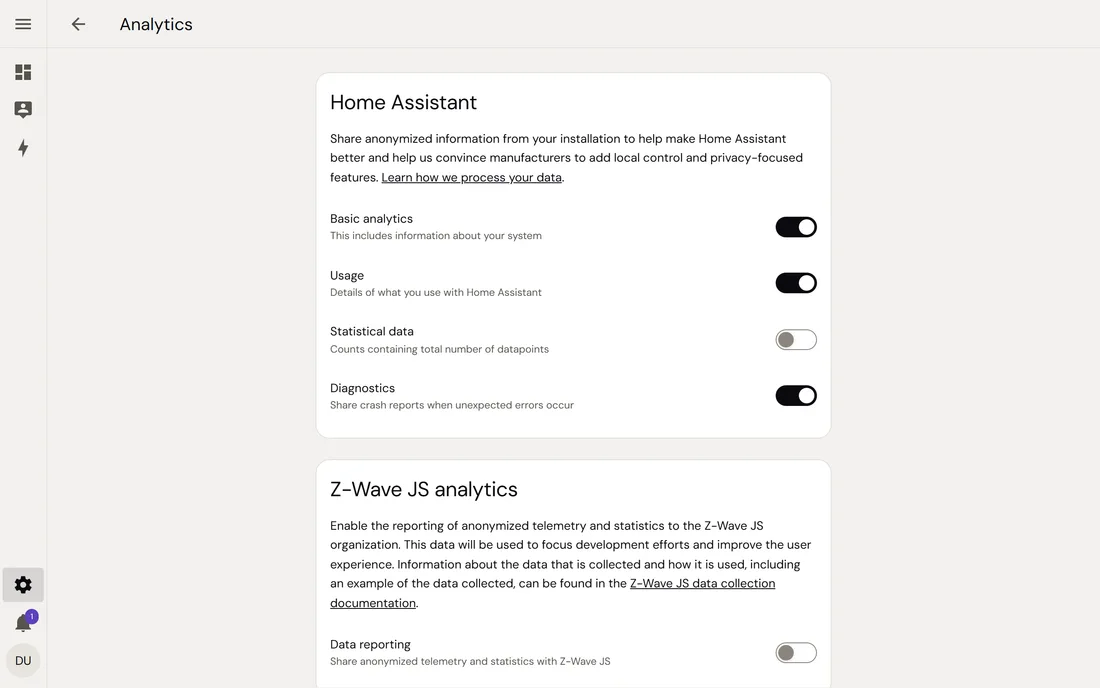
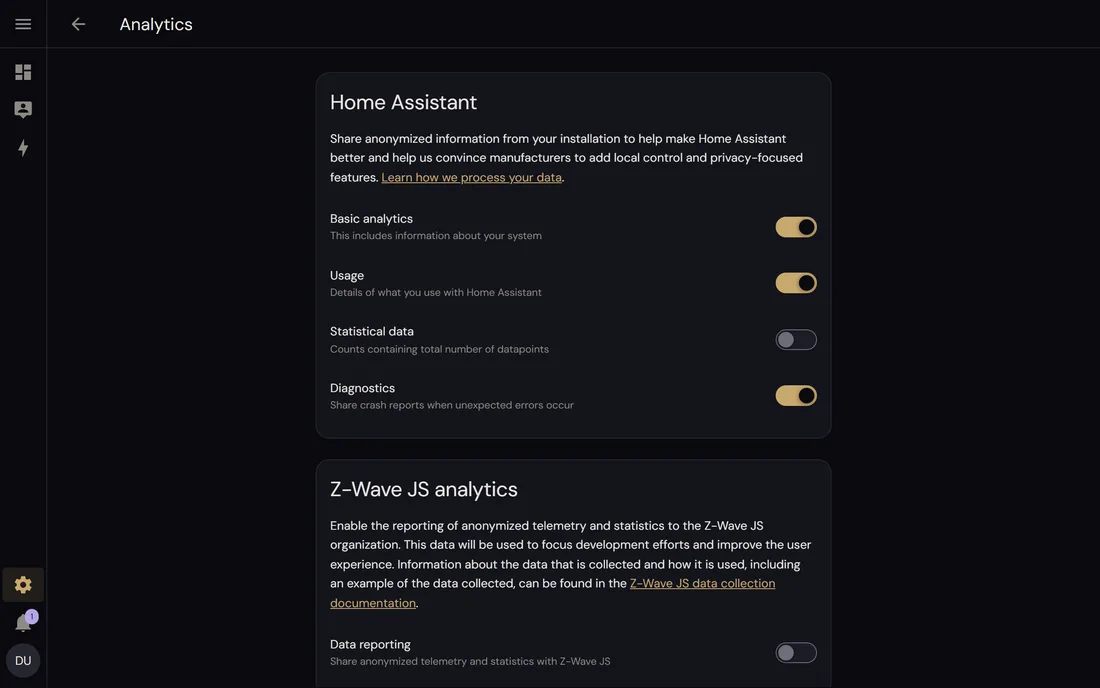
Set in DM Sans, light or dark as your profile says. Device colours, sizes and icons stay as Home Assistant draws them.
- Stable
- Version 1.0.5
- Apache-2.0
- Home Assistant 2026.10+
- HACS
The problem
One look, checked, instead of dozens of variables.
Colours and type come from a tested design system instead of dozens of variables set by hand.
The contrast of every colour pair is checked in both modes.
The fonts come from your own Home Assistant, not from someone else's server.
Features
What it does
Action colour
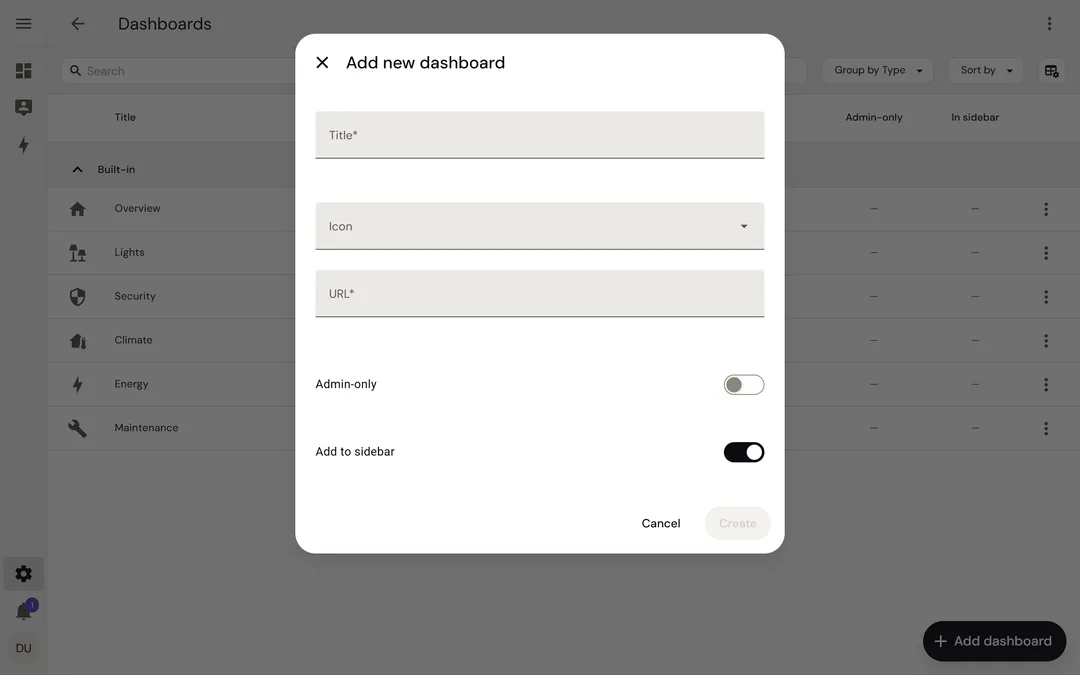
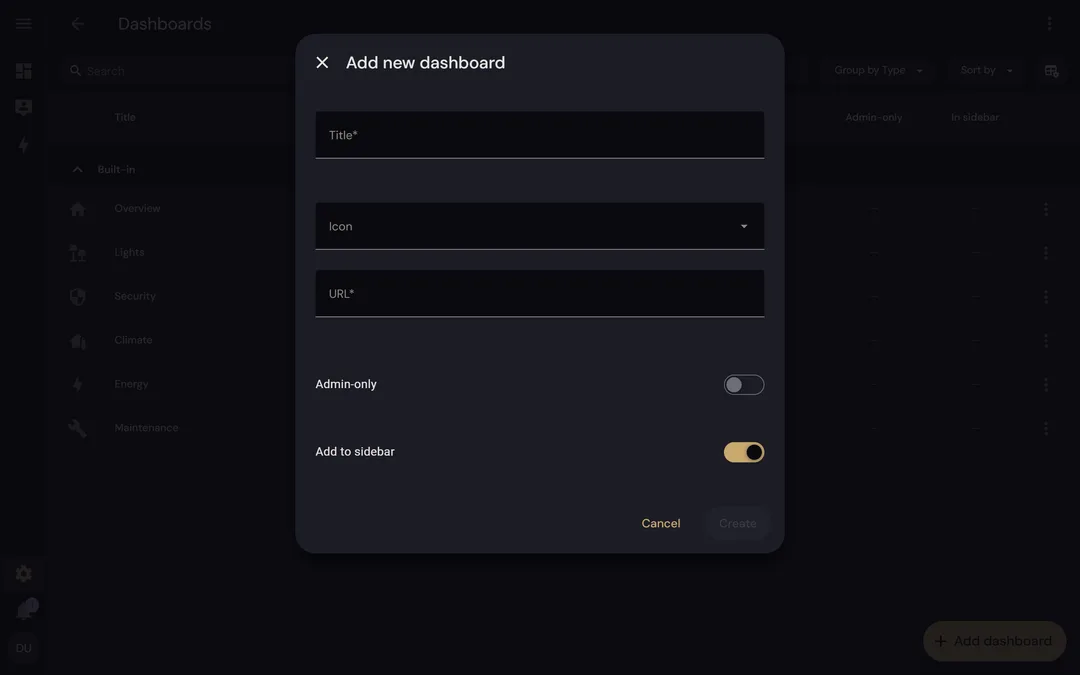
Ink in light mode, gold in dark mode, for buttons, switches, sliders, tabs and the selected sidebar entry.
Surfaces
Header and sidebar sit on the page ground. Cards are flat with a thin border and a 16 px radius; dialogs have 24 px.
Text, lines and focus
Warm greys for secondary text and borders, a bronze or gold focus ring and links.
Status
Success, warning, error and information in the design system's colours. Gold is never a status.
Type
DM Sans for the interface, Red Hat Mono for code, once you add the fonts.
What stays Home Assistant's
The colours of device states (amber for a light that is on, orange for heating, blue for cooling and so on), sizes and spacing, icons and texts. The theme only sets values; it adds no content. In HACS and in your profile, it is called simply Azentrius.
Screenshots
Security
- Your own Home Assistant serves the fonts under /local/; nothing is loaded from anywhere else.
- Every release has SHA256SUMS and a signed build provenance from the repository's release workflow.
Install
Installation
Requirements
- Home Assistant 2026.10 or newer (tested with 2026.10, frontend 20260930.4)
- HACS, or access to the configuration folder for installing by hand
With HACS
- In HACS, open the menu, choose Custom repositories and add
https://github.com/Azentrius/home-assistant-themewith the type Theme. - Download Azentrius.
- Make sure
configuration.yamlloads the themes folder:
frontend:
  themes: !include_dir_merge_named themes
- Run the action Home Assistant Frontend: Reload themes, or restart Home Assistant if you just added the line.
- Pick Azentrius under Profile › Theme.
The fonts
HACS installs only the theme file. For DM Sans, copy www/azentrius/ from the release archive to /config/www/azentrius/, load its script and restart Home Assistant:
frontend:
  extra_module_url:
    - /local/azentrius/azentrius.js
By hand
Download the archive and SHA256SUMS from the latest release, check them and unpack the archive into /config:
sha256sum --ignore-missing -c SHA256SUMS
gh attestation verify azentrius-home-assistant-theme-VERSION.zip --repo Azentrius/home-assistant-theme
Questions
Does it change the colours of my devices?
No. Device states keep Home Assistant's colours.
Why is it called Azentrius in HACS?
That is the name you pick it by in your profile and with frontend.set_theme. Azentrius Theme is the product name.
Does it load fonts from the internet?
No. Your own Home Assistant serves them under /local/. Without them, your system's sans-serif is used.
Can I make it the default for everyone?
Yes, with the action frontend.set_theme and name: Azentrius. A choice in a profile wins over the default.
Does it work in light and dark mode?
Yes. Both follow the setting in your profile.
Will it break after an update?
It can: besides the official theme variables, it sets newer ones that may change with a frontend update. It is tested with 2026.10; please report problems as an issue.
Further reading
Also by Azentrius
- Cron Jobs – Every cron job and systemd timer on one Cockpit page, with safe edits, run history and conversion to timers.
- Image Update Monitor – Configured, running and newest version of every Docker container, and updates with a dump first and a rollback.